 Innogath
How Innogath turns questions into
cited research reports.
From one prompt to a multi-chapter report with verified citations, auto-generated diagrams, and branching pages for every sub-topic.
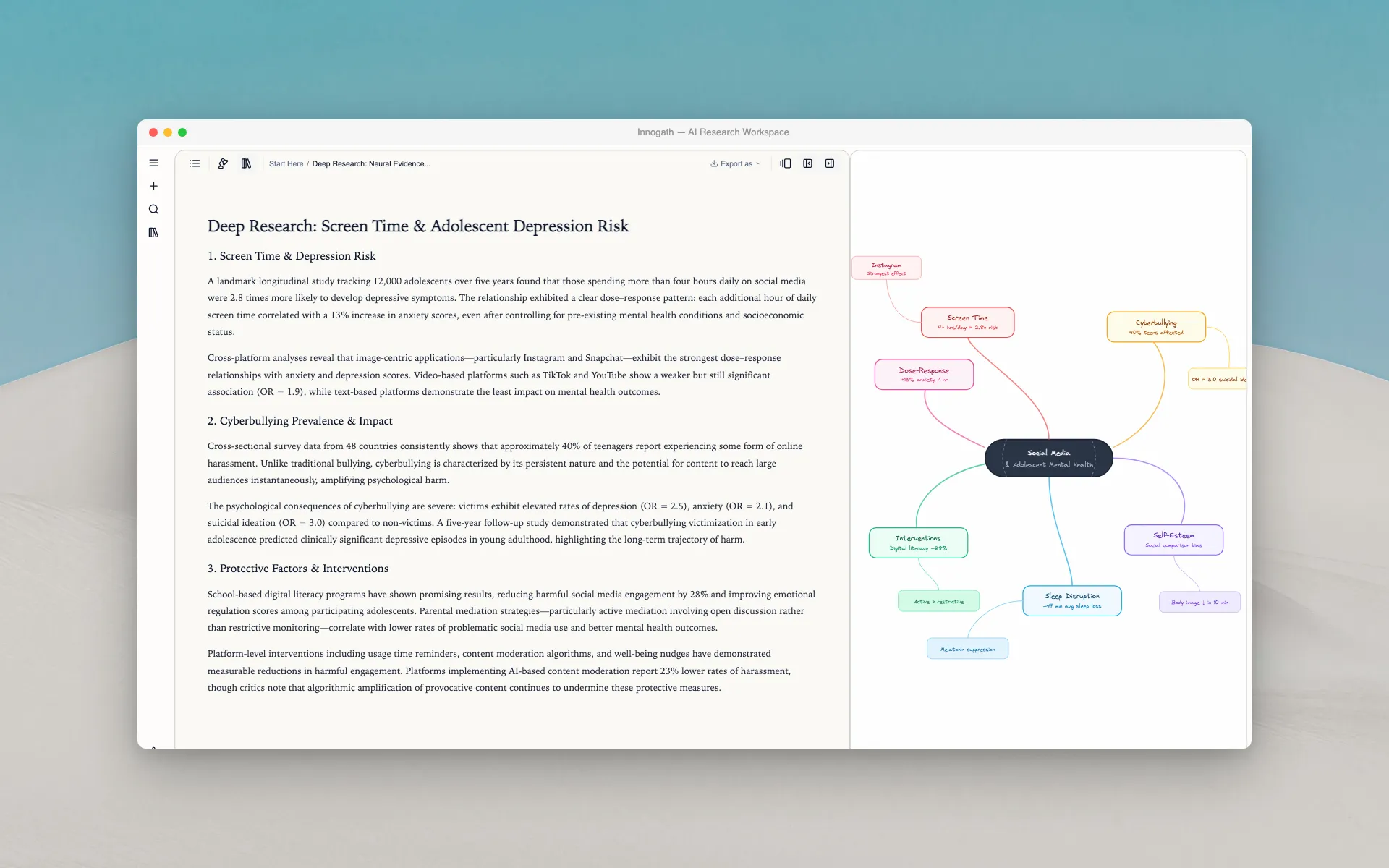
One question → multi-chapter report
Hit “Deep Research” and the AI scours the web, reads dozens of sources, cross-references the data, and delivers a structured report — organized into numbered sections, each backed by verifiable citations.
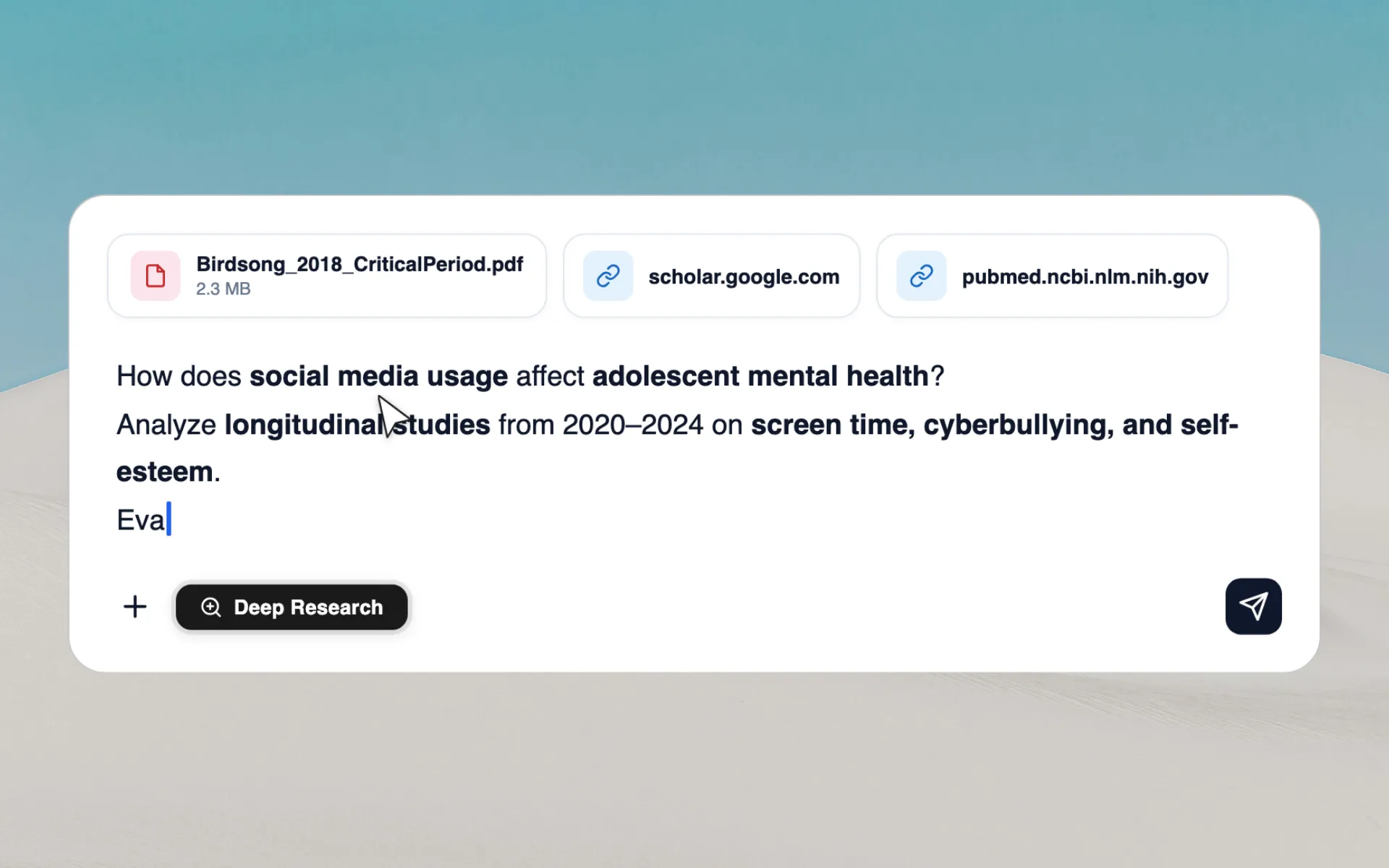
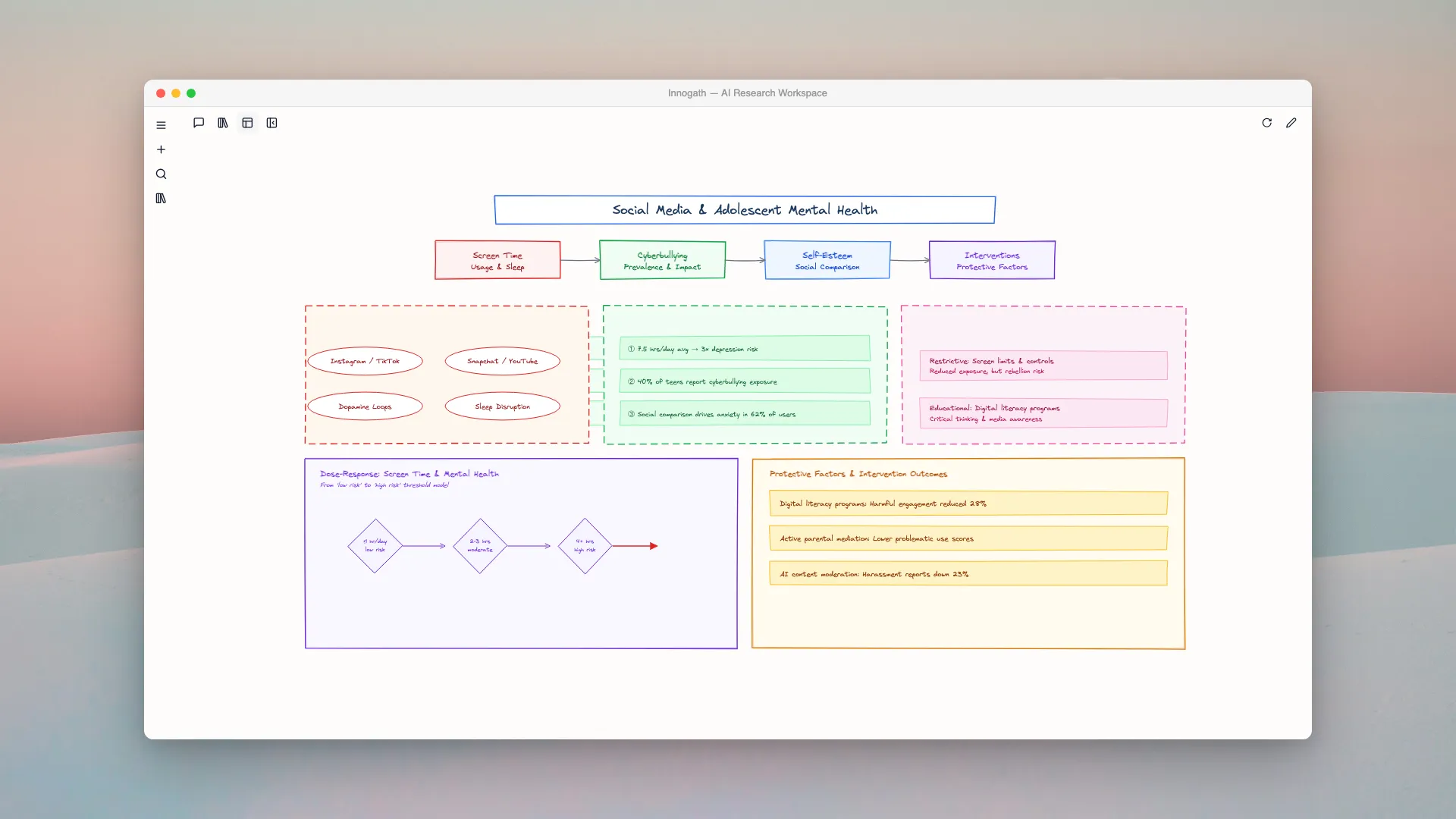
See how ideas connect
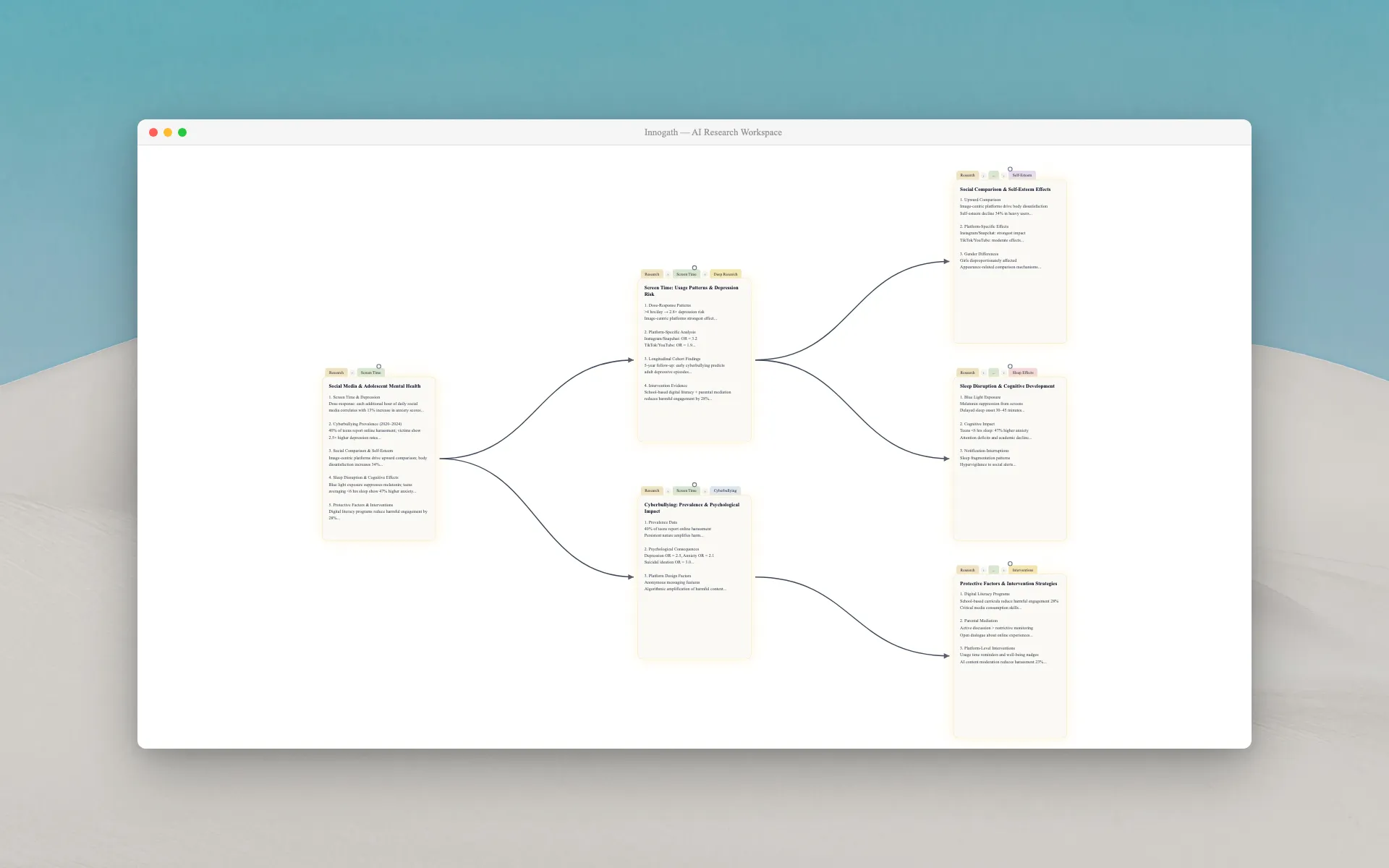
Every research session auto-generates an interactive knowledge map. Instead of scrolling through pages of text, see the entire structure at a glance — which concepts relate, where the gaps are, and what to explore next.
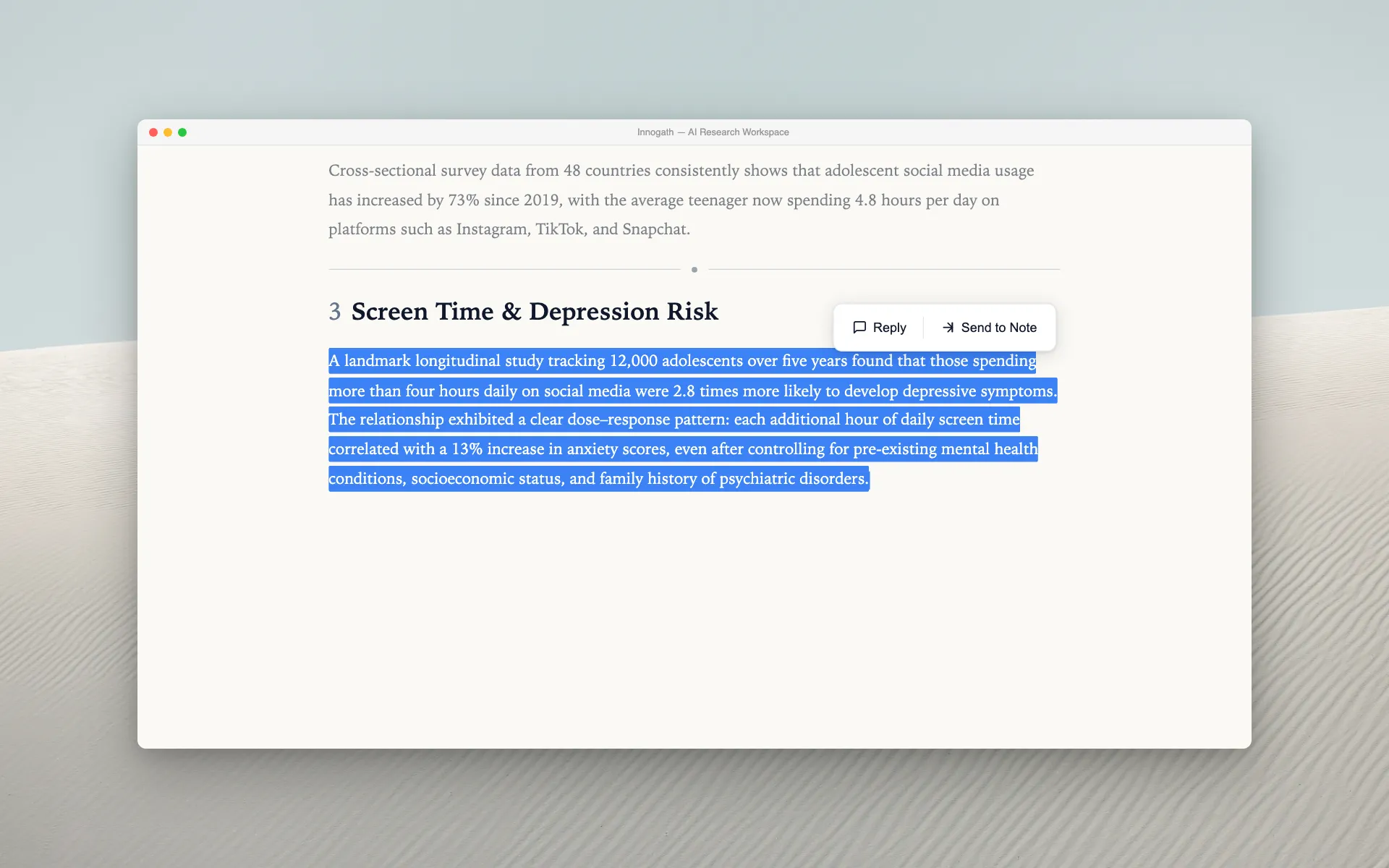
Follow your curiosity.
Branch into sub-topics.
Select any text in the report and hit “Reply” to ask a follow-up question. Each reply creates a new research branch — with its own report, its own diagram, and full parent context. Your research grows like a tree, not a thread.
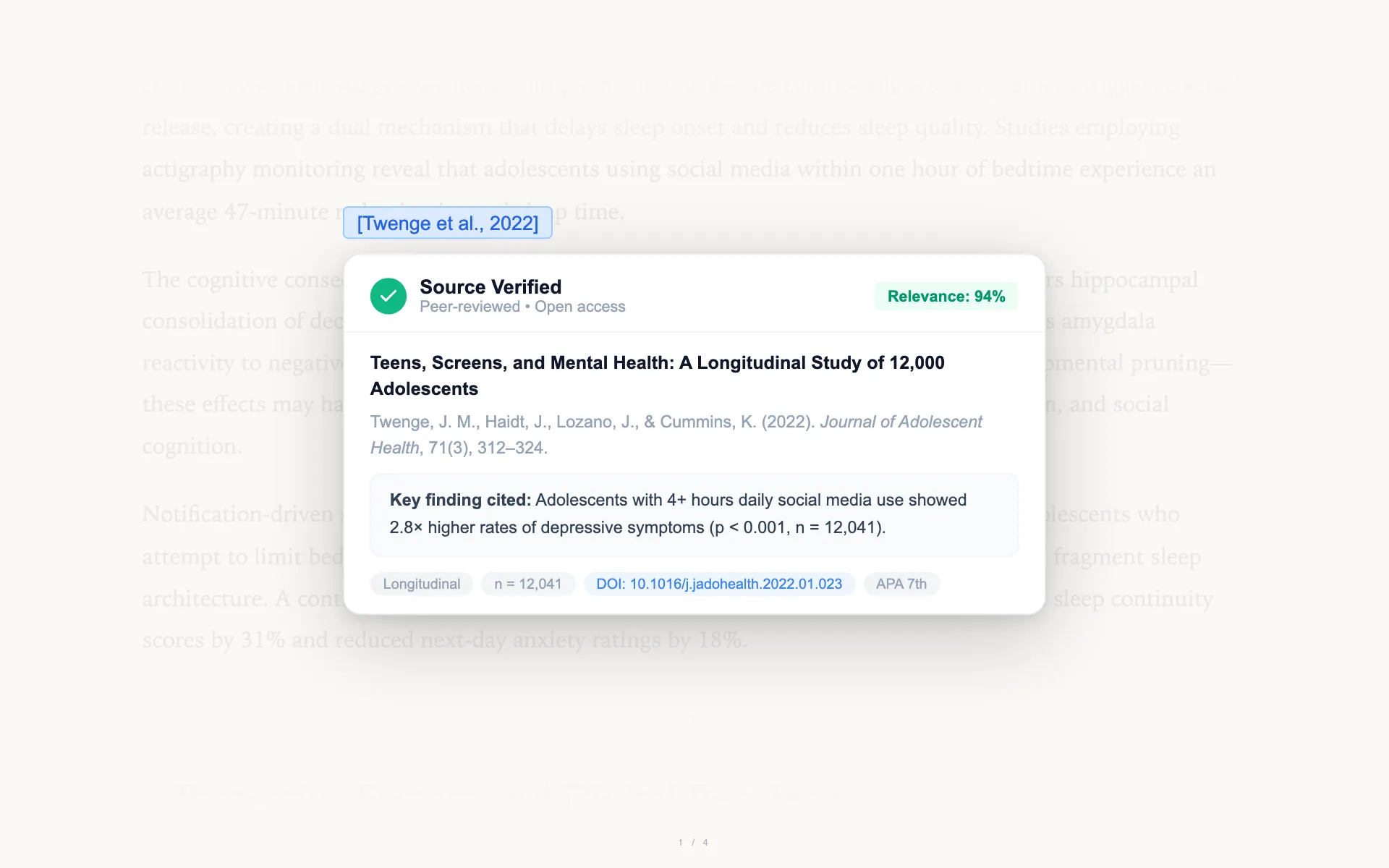
Every claim is sourced
No hallucinations, no “trust me” answers. Every data point, every statistic, every claim in the report links to its original source. Click any citation to read the original page yourself.
Every deep dive creates a new page
When you branch into a sub-topic and hit “Deep Research” again, a new page automatically branches off from the parent. Your research grows into a tree — Start Here → Main Report → Sub-topic A → Follow-up Question. Pages Overview shows this entire structure so you can jump between any level instantly.
You never lose context. Each child page inherits the parent’s research memory, so the AI already knows what you’ve explored before.
From research to finished document
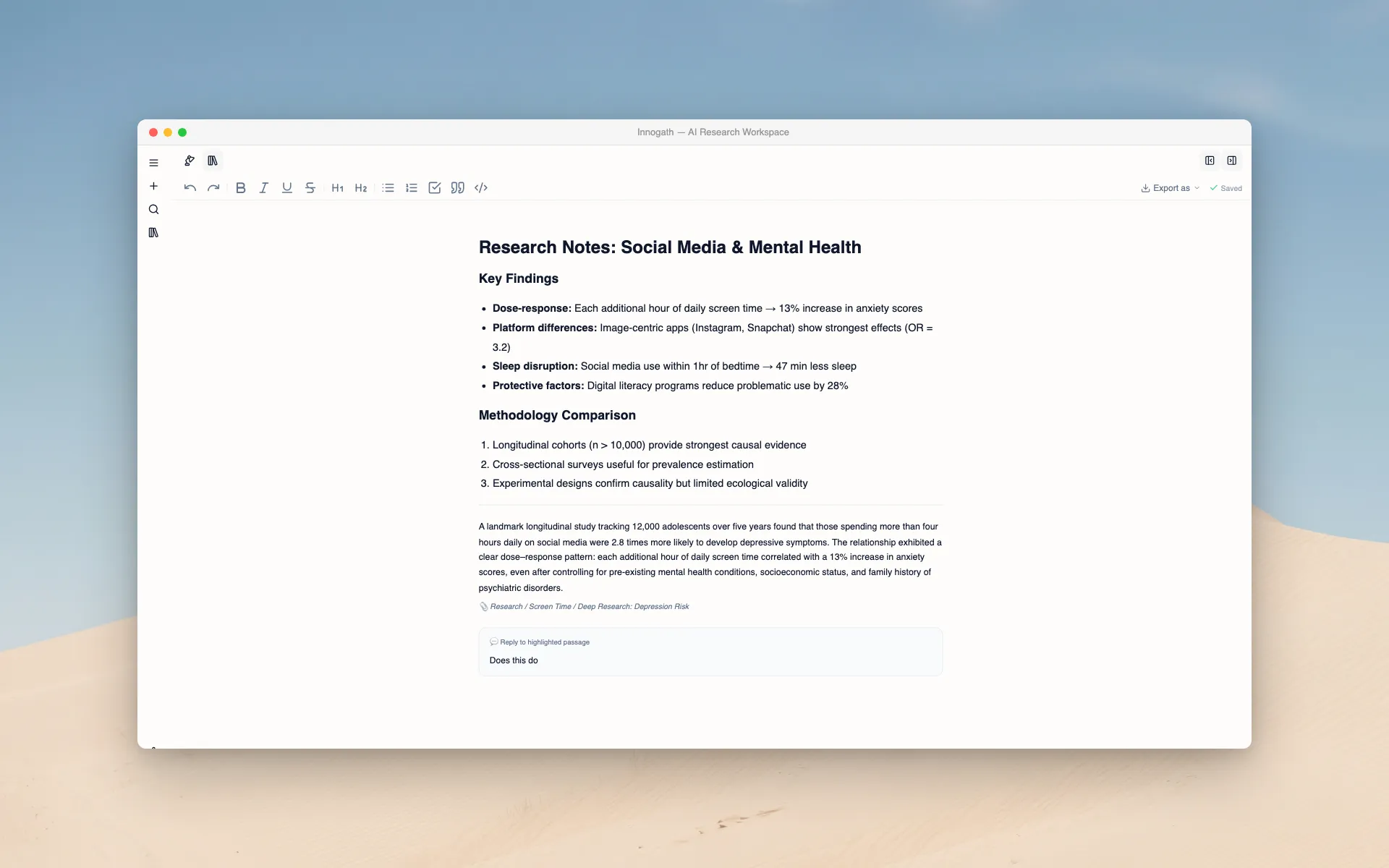
Pull insights from any branch into the Project Notebook — a rich-text editor built right into the workspace. Format with headings, lists, and images. Export the entire report as PDF or Markdown with citations preserved.
Stop searching. Start structuring.
Your first research is free. No credit card required.
Start free trial